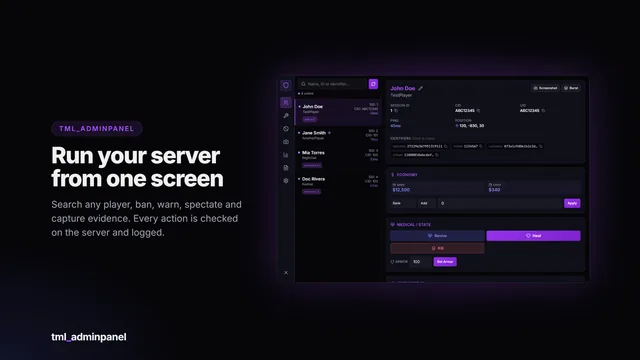
TML Admin Panel
A searchable in-game administration panel with automatic framework detection, a framework-independent ban system and every action permission-gated and logged.
- 38 permissions
- Framework-free bans
- Audit log
Scripts / TML Radio
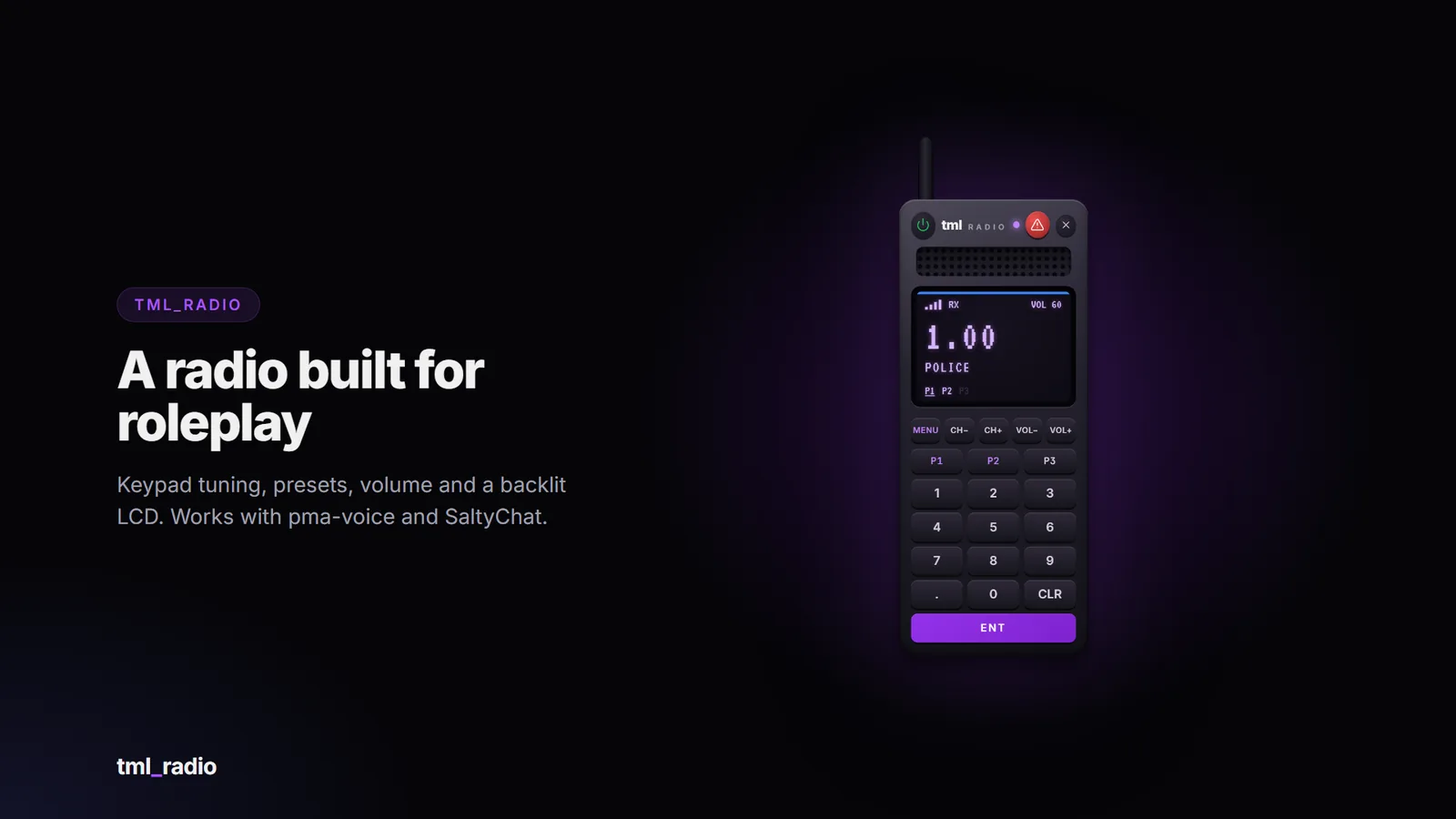
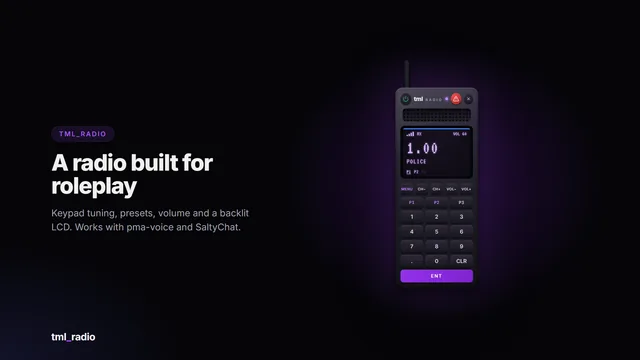
A handheld two-way radio that feels like the real thing: a backlit LCD, a keypad, channel and volume buttons, and a status LED that turns purple when someone’s talking and red when you are. Emergency services get locked frequency ranges and a panic button. Built on pma-voice or SaltyChat.
Tune it like a real radio. Type a frequency (145.50) and press ENT, step with CH+/CH-, or use the keyboard (type, Enter, arrow keys).
Presets: press to tune, hold to save. Volume, mic click, callsign and presets are remembered per player.
Locked frequency ranges. Lock any range to jobs with a minimum grade, on-duty only, or an ACE permission. Each range has its own label and colour on the display.
Secure by design. Every join is checked on the server, and with pma-voice the channels are also guarded inside pma-voice itself, so they can’t be joined from outside the radio. Players who change job or go off duty are taken off straight away.
Panic button on emergency ranges: an alarm, a flashing map blip and a notification for everyone on the channel, with a cooldown and an optional GPS waypoint. Plus a server event for your dispatch script.
Real radio sound. Voices over the radio get a radio effect (handheld, digital or old presets, or your own values), built on pma-voice’s audio submixes.
Settings on the radio itself: a MENU key turns the LCD into a menu for callsign, mic click and HUD.
HUD strip (top right, can be turned off by the server or per player) with the frequency, range label and a receiving / transmitting indicator, shown while the radio is on, even with the UI closed.
Realism: no signal while dead or underwater. Cops and medics talk on a shoulder mic; everyone else raises the radio to their mouth.
Optional member list with callsigns and live talking dots on emergency frequencies (off by default).
Item or no item. Require the radio item (checked continuously, so dropping it takes you off the air), or let everyone use /radio.
No database needed. Every config option is checked on start, with a readable warning and a safe default.
English and Spanish included; add your own language by copying one file.
Exports and events for developers: put players on a frequency, read who’s on one, react to joins, leaves and panics.
FiveM server with OneSync
pma-voice or SaltyChat
A supported framework, or standalone mode using ACE permissions
The radio talks to your server through an open bridge layer, so it isn’t tied to one setup.
Category
Included adapters
Framework
Qbox, QBCore, ESX, ox_core, ND_Core, vRP, standalone, custom
Inventory
ox_inventory, qb-inventory, ps-inventory, qs-inventory, codem-inventory, core_inventory, standalone, custom
Voice
pma-voice, SaltyChat, none, custom
Notifications
ox_lib, QBCore, ESX, standalone, custom
The bridge files are not encrypted: if your setup is unusual, or an included adapter needs a tweak, you can edit the adapter yourself. A blank custom adapter is included for anything else.
Drop tml_radio into your resources folder.
ensure tml_radio after your framework, inventory and voice script.
Add the radio item for your inventory (ready-made snippets and an item image included).
Set your job names in the restricted frequency ranges.
A full install guide and config reference are included. Update announcements are posted in the Discord.
This resource is distributed through the Cfx.re Asset Escrow system. Please read before purchasing.
The main client and server code is encrypted by Cfx.re’s escrow. It can’t be viewed or edited, and it can only run on a server whose license key belongs to the Cfx.re account that purchased it.
These files are left open so you can customise them: the config file, language files, all bridge adapters (framework, inventory, notifications, voice), the theme file (theme.css), sound files, the install snippets and the documentation.
You need a Cfx.re (Keymaster) account and a server using that account’s license key. The resource will not run on a server registered to a different account.
One purchase covers one server.
Do not resell, share, leak or redistribute the files or the encrypted assets. Doing so violates the license and Cfx.re’s terms.
All sales are final: no refunds. Check the requirements and compatibility above, or ask in the Discord, before buying. Price drops and later sales are not refunded.
Free lifetime updates, granted to the same Cfx.re account.
No account transfers. Licences are not moved between Cfx.re accounts, so buy with the account that owns your server key.
Chargebacks and leaks mean the licence is revoked and your accounts are banned from support and future purchases. Report leaks to [email protected].
Payments are handled by Tebex, and anything not covered here follows Tebex’s terms: https://checkout.tebex.io/terms
Support covers installation help, bugs in the shipped code and the documented config. It does not cover custom framework, inventory or voice integrations, heavily modified forks, conflicts with unrelated scripts, general server setup or account transfers. Join the Discord for support: https://discord.gg/RPzkXrDUEQ
Screenshots show the interface rendered with sample data.
With Config.Radio.requireItem = true you need the tml_radio item; check it's in your inventory's item list (see
install/). On ox_inventory the item needs server = { export = 'tml_radio.use_item' }.
The console prints voice=... at start. If it says none, start pma-voice or SaltyChat before tml_radio. Talk
with your voice script's radio key (pma-voice: Left Alt), with the radio UI closed.
Restricted ranges check your job name, grade and duty. The default config uses police, sheriff, ambulance,
ems and fire; change Config.Restricted to your server's job names, or set onDutyOnly = false.
Set Config.Radio.showMembers = true. The list then shows on restricted frequencies; listeners on public frequencies stay
anonymous unless you also set Config.Radio.showMembersOnOpen = true.
That's pma-voice clearing the channel guards when tml_radio stops; they're added again when it starts. Set
Config.Radio.guardChannels = false to turn the guards off (the radio still checks every join itself).
A searchable in-game administration panel with automatic framework detection, a framework-independent ban system and every action permission-gated and logged.
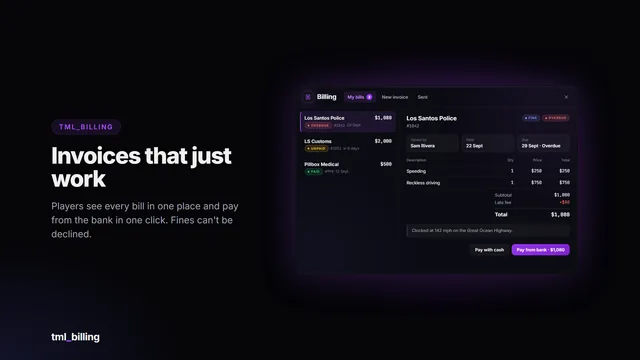
Itemised invoices and fines that just work. Businesses bill the person standing next to them in a few clicks; players see every bill in one clean window and pay from the bank in one click. The money…
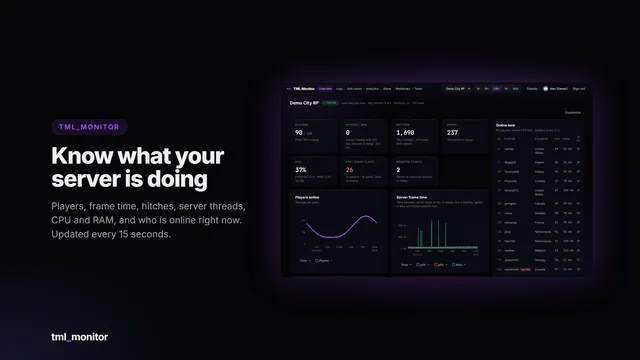
Live performance, every log and server-side anti-cheat signals for your FiveM server, in a web dashboard you and your staff open from any browser or phone.