Scripts / TML Phone

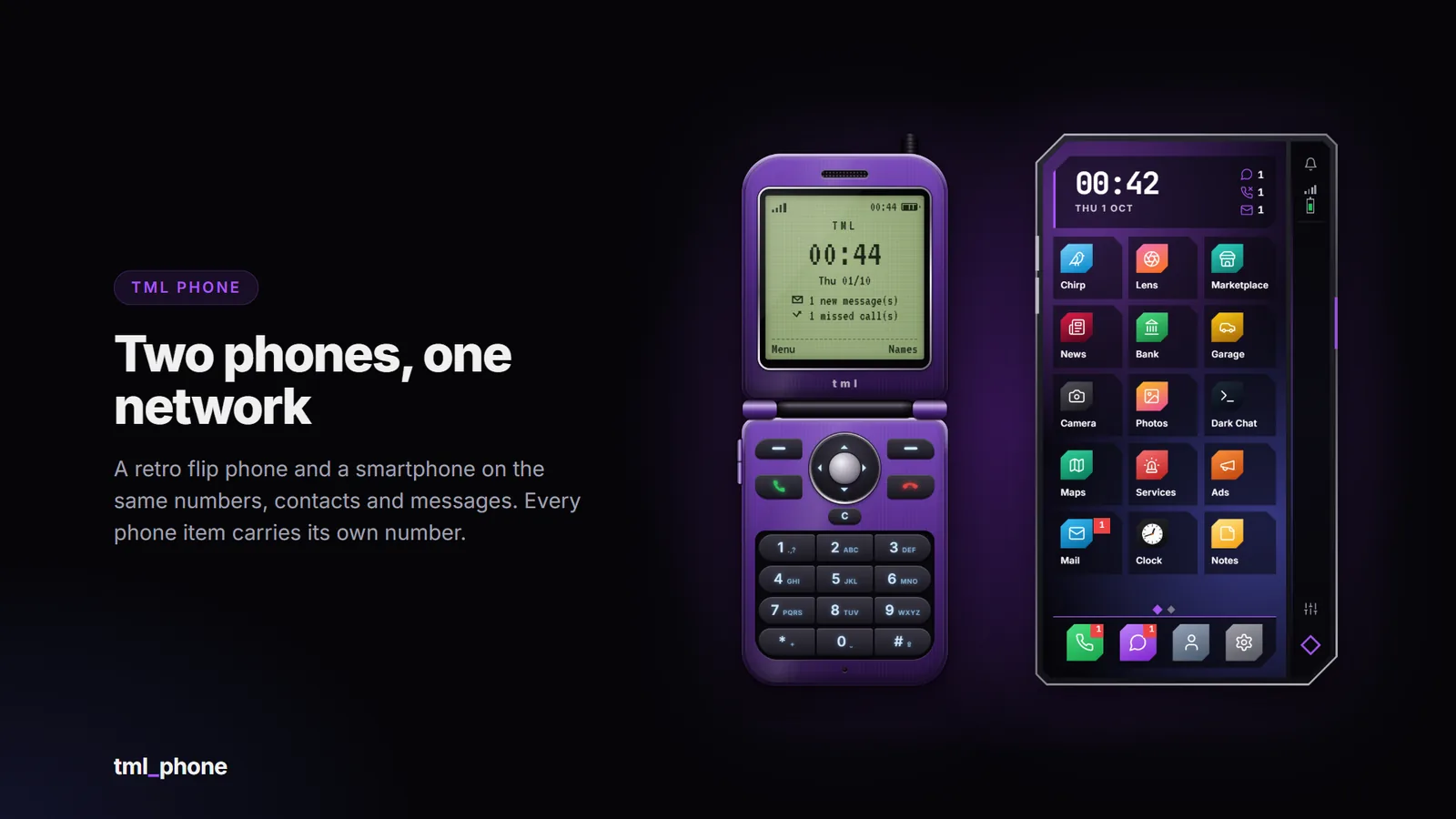
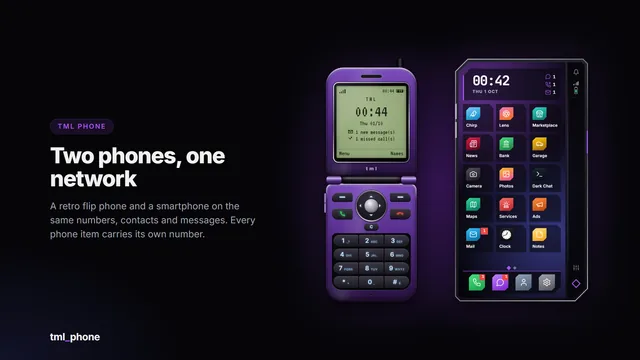
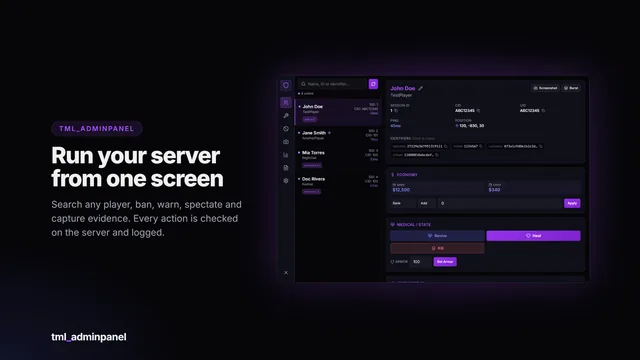
Two phones, one network. A retro flip phone with a keypad and a modern smartphone with its own app store, both on the same numbers, contacts and messages, so a smartphone can text a friend’s flip phone. Every phone item can carry its own number and data, which go with the item when it’s handed over, dropped or stolen. On top: a city-wide social network (Chirp and Lens), a Marketplace, Bank, Garage and News.

Features

  • Two devices, one network. Flip phone and smartphone share numbers, contacts, messages and calls. Run both, or only one.
  • Real phone items. Each phone item has its own number, contacts and messages that move with the item, or choose one number per character.
  • Calls through pma-voice or saltychat: ringtones nearby players hear, anonymous calls (#31#), call log, favourites and blocking.
  • Video calls. Your camera films your own face while you keep walking around, streamed live to the other player at any distance. An optional TURN relay keeps players’ IP addresses private.
  • Messages: direct and group chats, photos and locations in messages, muting, and sharing your number with players nearby.
  • Service numbers: 911 and 311 included. Calls ring a job’s phones all at once or in turn; texts open requests responders answer in the Services app, with an optional alert in your dispatch script.
  • Four smartphone designs: TML Rail (with a second display down its edge), Island, Classic and Pear. Eight colour themes, light and dark mode, wallpapers. Any design can also be sold as its own item.
  • Fits every screen: each player scales their phone up or down in Settings, saved on their own computer.
  • App Store: players install, remove and arrange apps across up to five swipeable home pages. You decide which apps exist, which come preinstalled and which can’t be removed, or switch the store off.
  • 22 apps: Phone, Messages, Contacts, Settings, Calendar, Calculator, Notes, Clock (alarms, timer, stopwatch), Mail, Ads, Maps, Bank, Camera, Photos, Music, Dark Chat, Services, Chirp, Lens, Marketplace, Garage and News. Snake on the flip phone.
  • Chirp and Lens: a public text feed and a public photo feed on one set of accounts. Log in with a handle and password on any phone (a stolen phone that’s still logged in can post as its owner). Follows, likes, replies and comments, reposts and quotes, @mentions, #hashtags and trending tags, notifications and verified badges.
  • Moderation built in: player reports go to your Discord webhook; moderators delete posts, suspend accounts and hand out verified badges from the app; a blocked-words list.
  • Marketplace: listings with up to four photos, categories, search, saved listings and “mark as sold”. Buyers message or call the seller.
  • Bank: balance and history, pay any number, request money (they pay or decline in their app), and a business account for each job’s bosses (deposit, withdraw, activity) through your banking script.
  • Garage: your vehicles, out, stored or impounded, with fuel and damage, and a waypoint to the car, its garage or the impound. Works with jg-advancedgarages, cd_garage and your framework’s own garages.
  • News: articles with a cover photo from the jobs you choose. Breaking news notifies every phone with the app. Scripts can publish too.
  • Maps draws the game’s own map from the player’s game files, so postal and satellite map mods show through.
  • Camera and Photos with Fivemanage or your own image host (no code needed for most hosts). The phone takes the photos itself, no screenshot resource needed, and failed uploads are retried automatically.
  • Music with songs you curate for everyone (staff can add them in game) and a speaker that players nearby hear, louder the closer they are.
  • Battery that drains with use and charges in a vehicle with the engine running.
  • First-boot setup: language, owner name, phone name and passcode.
  • Security: optional PIN with lockouts, every request checked and rate-limited on the server, API keys never sent to players.
  • Config checked on start: a wrong value prints a readable warning and falls back to the default instead of breaking the phone.
  • English and Spanish included; add a language by copying one file. Players can pick their phone’s language.
  • For developers: exports for numbers, messages, calls, notifications, contacts, mail with buttons, calendar events, bank history, ads, social accounts and posts, marketplace, news, vehicles, battery and music; block the phone from cuff and death scripts; evidence exports for MDTs (messages, call log, photos); 45 server events; custom numbers your script answers; and your own smartphone apps from any resource with a small App SDK.
  • Update checker prints a console notice when a new version is out.

Requirements

  • FiveM server with OneSync
  • oxmysql (tables are created automatically, no manual SQL needed)
  • A supported framework, or standalone

Optional: an inventory for phone items, pma-voice or saltychat for call audio, and an image host (such as Fivemanage) to store photos taken with the Camera and posted in Chirp, Lens, Marketplace and News. The phone takes photos itself: no screenshot resource needed.

Compatibility

The phone talks to your server through an open bridge layer, so it isn’t tied to one setup.

CategoryIncluded adapters
FrameworkQbox, QBCore, ESX, ox_core, ND_Core, vRP, standalone, custom
Inventoryox_inventory, qb-inventory, ps-inventory, qs-inventory, codem-inventory, core_inventory, standalone, custom
Voice (calls)pma-voice, saltychat, none, custom
Banking (Bank statements, job accounts)Renewed-Banking, okokBanking, qs-banking, fd_banking, tgg-banking, snipe-banking, pefcl, qb-banking, esx_banking, framework, custom
Dispatch (service alerts)ps-dispatch, cd_dispatch, core_dispatch, standalone, custom
Notificationsox_lib, QBCore, ESX, standalone, custom
Photo uploadsFivemanage, custom (any image host), none
Music speakerbuilt in, xsound, none, custom
Garage (vehicles)jg-advancedgarages, cd_garage, framework (qb-garages, qbx_garages, esx_garage, ox_core, ND_Core, vRP), none, custom

The bridge files are not encrypted: if your setup is unusual, or an included adapter needs a tweak, you can edit the adapter yourself. A blank custom adapter is included in every category.

Installation

  1. Drop tml_phone into your resources folder.
  2. ensure tml_phone after oxmysql, your framework, your inventory and your voice script.
  3. Add the phone items for your inventory (ready-made snippets and item images included).
  4. Start the server (database tables are created automatically).

Documentation: store.thatmaddladd.xyz/docs/tml-phone (install guide, every config option, API and FAQ). Update announcements are posted in the Discord.

Important: Cfx.re Asset Escrow

This resource is distributed through the Cfx.re Asset Escrow system. Please read before purchasing.

  • The main client and server code is encrypted by Cfx.re’s escrow. It can’t be viewed or edited, and it can only run on a server whose license key belongs to the Cfx.re account that purchased it.
  • These files are left open so you can customise them: the config files, language files, all bridge adapters (framework, inventory, notifications, voice, dispatch, banking, uploads, speaker, garage), the flip phone’s theme file (theme.css), sound and music folders, the App SDK, the install snippets and item images, and the documentation.
  • You need a Cfx.re (Keymaster) account and a server using that account’s license key. The resource will not run on a server registered to a different account.
  • One purchase covers one server.
  • Do not resell, share, leak or redistribute the files or the encrypted assets. Doing so violates the license and Cfx.re’s terms.

Purchase terms

  • All sales are final: no refunds. Check the requirements and compatibility above, or ask in the Discord, before buying. Price drops and later sales are not refunded.
  • Free lifetime updates, granted to the same Cfx.re account.
  • No account transfers. Licences are not moved between Cfx.re accounts, so buy with the account that owns your server key.
  • Chargebacks and leaks mean the licence is revoked and your accounts are banned from support and future purchases. Report leaks to [email protected].
  • Payments are handled by Tebex, and anything not covered here follows Tebex’s terms.

Support

Support covers installation help, bugs in the shipped code and the documented config. It does not cover custom framework or inventory integrations, heavily modified forks, conflicts with unrelated scripts, general server setup, image hosts or TURN servers you run yourself, or account transfers.

Join the Discord for support: https://discord.gg/RPzkXrDUEQ

Screenshots show the interface rendered with sample data.

FAQ

Common questions

The phone doesn't open.

Check that ensure tml_phone comes after oxmysql, your framework and your inventory in server.cfg. With an inventory, the player needs a phone item (tml_flipphone or tml_smartphone; add them from install/). A phone at 0% battery shows a charge screen instead: charge it in a vehicle with the engine running, or /phonebattery 100 as an admin.

Which framework, inventory and voice script is it using?

The server console prints them on start: framework=qbox inventory=ox_inventory notify=ox_lib voice=pma-voice .... Force one in config/config.lua (Config.Framework = 'esx', ...). standalone / none means nothing was found: usually a start-order problem.

The console prints config warnings on start.

The config is checked on start. Each warning names the option, what was wrong with it, and the default it used instead, so the phone still works. Fix the value in config/config.lua and restart.

Using the item does nothing (ox_inventory).

The item definition must contain server = { export = 'tml_phone.use_item' } and consume = 0, exactly as in install/ox_inventory.txt.

Every phone item should have its own number, but they share one.

That's 'character' mode. Config.Phones.mode = 'unique' (the default) needs an inventory that stores data on items: ox_inventory, qb-inventory, ps-inventory and qs-inventory do. On codem-inventory and core_inventory the phone falls back to one number per character and says so in the console; their adapters explain how to switch it on if your version supports item data. ESX's own default inventory has no adapter, so there the phone runs without items.

All TML Phone questions →

More from TML

You might also like

TML Admin Panel

A searchable in-game administration panel with automatic framework detection, a framework-independent ban system and every action permission-gated and logged.

  • 38 permissions
  • Framework-free bans
  • Audit log
…
Details

TML Billing

Itemised invoices and fines that just work. Businesses bill the person standing next to them in a few clicks; players see every bill in one clean window and pay from the bank in one click. The money…

…
Details

TML Monitor

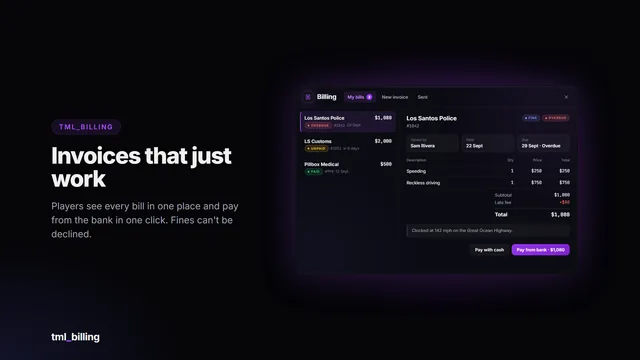
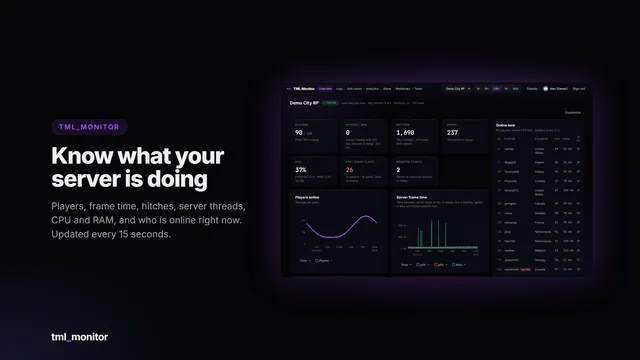
Live performance, every log and server-side anti-cheat signals for your FiveM server, in a web dashboard you and your staff open from any browser or phone.
  • Live dashboard
  • Server-side anti-cheat
  • 30 days of logs
…
Details

TML Pager

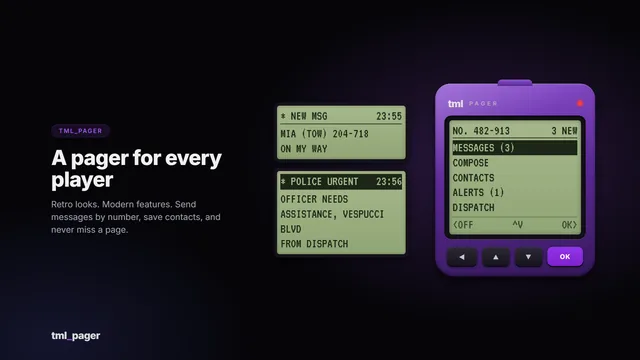
A retro pager with modern features. Every character gets a pager number, then sends short messages, saves contacts and receives department dispatch alerts.

  • 7 frameworks
  • Dispatch alerts
  • Item optional
…
Details

TML Queue

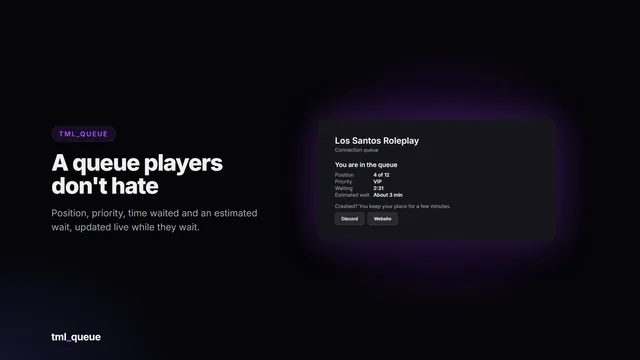
A connection queue players don’t hate. When your server is full, players wait on a live queue card with their position, priority, time waited and an estimated wait. Priority comes from Discord roles,…

…
Details

TML Radio

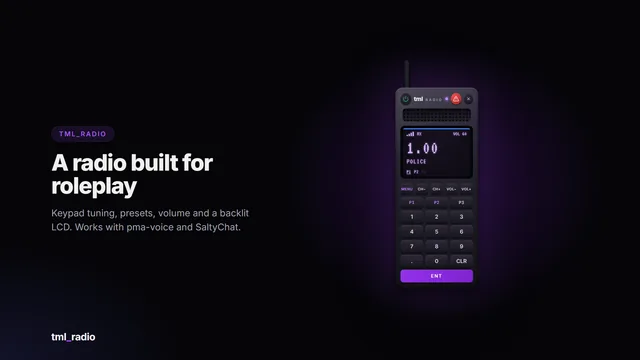
A handheld two-way radio that feels like the real thing: a backlit LCD, a keypad, channel and volume buttons, and a status LED that turns purple when someone’s talking and red when you are. Emergency…

…
Details
TML Phone…
Esc

↑↓ to move Enter to open

Keyboard shortcutsEsc
Ctrl K or /
Search pages, scripts and docs
G then H
Go to Home
G then S
Go to Store
G then P
Go to Previews
G then D
Go to Docs
G then I
Go to Install helper
G then F
Go to FAQ
C
Open the cart (store pages)
?
Show this list