Scripts / TML Billing

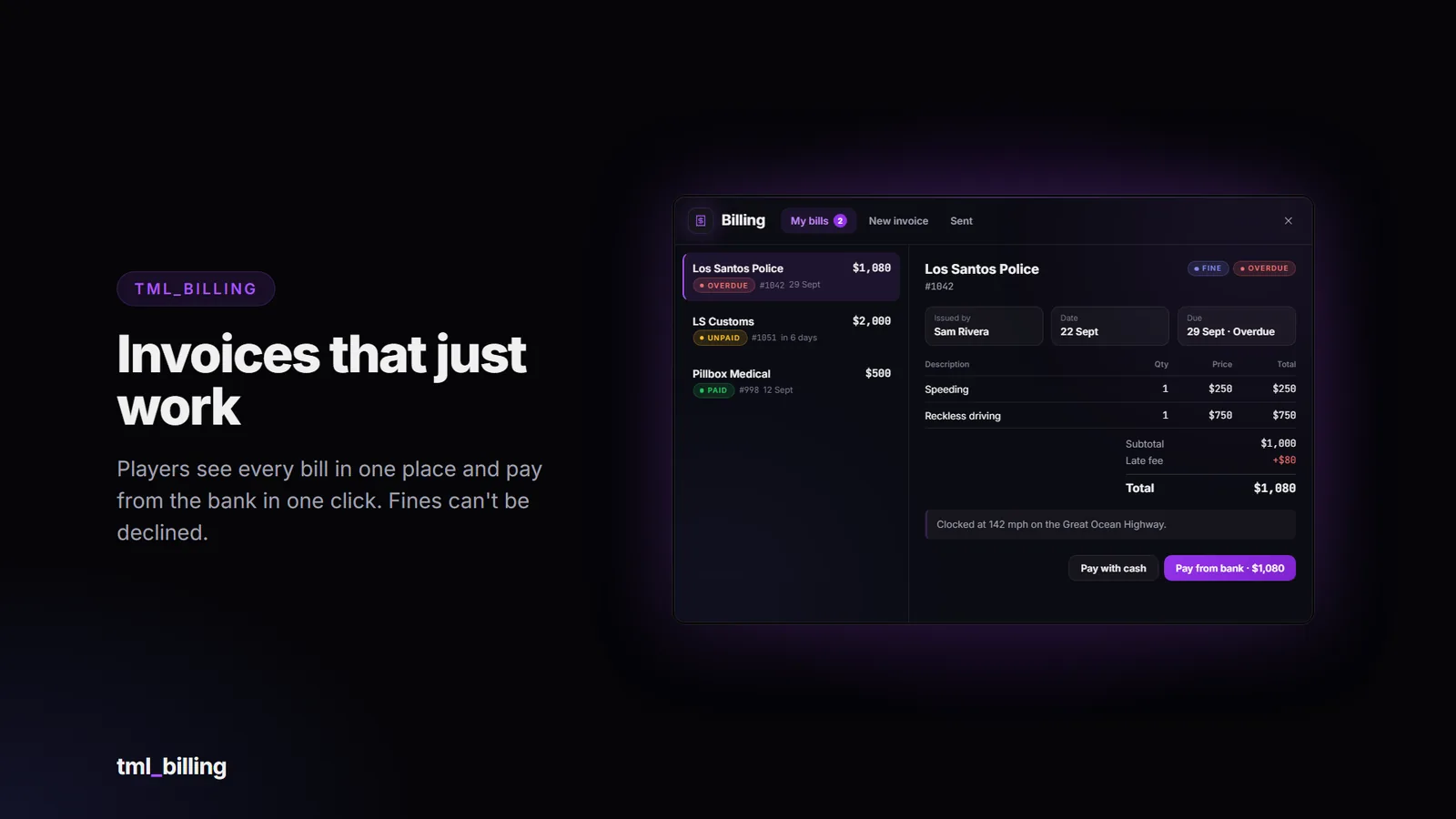
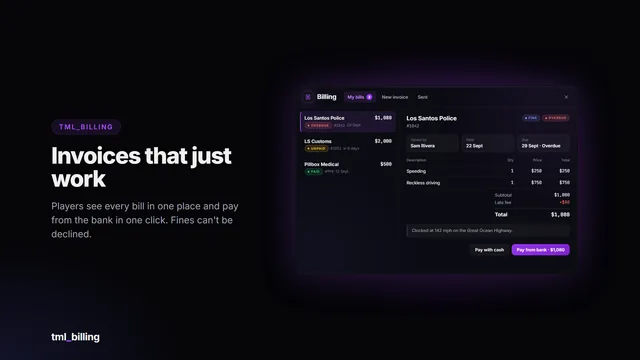
Itemised invoices and fines that just work. Businesses bill the person standing next to them in a few clicks; players see every bill in one clean window and pay from the bank in one click. The money lands in the business account through your banking script, with commission for the employee and optional tax.

Features

  • Itemised invoices: up to 10 lines with description, quantity and price, a note, and a live total. One-click presets per business.
  • Fines too. Set a business to fine and players see “Fine” and can’t decline it.
  • Businesses from config: any job can bill. Set who can send (minimum grade), who manages (sees and cancels every invoice of the business), the employee’s commission and a maximum amount.
  • Money goes where it should: payment into the business’s shared account, commission to the employee, optional tax to a government account, and a line in the banking script’s statement.
  • Nobody loses money. Commission or personal payments for offline players are held and paid out at their next login. Double-clicking Pay can never charge twice. The server recalculates every amount from the lines; nothing the client sends about money is trusted.
  • Due dates and late fees that build up per day overdue, capped. Optional auto-pay for overdue invoices.
  • Player to player: optional personal invoices with their own maximum.
  • Business stats: outstanding, collected in the last 30 days, and overdue count.
  • Bill the people next to you, picked by server id and distance and checked again on the server.
  • Exports and events for developers: send invoices from speed cameras, shops or impounds, and react to payments.
  • English and Spanish included; add your own language by copying one file.

Requirements

  • FiveM server with OneSync
  • oxmysql (tables are created automatically, no manual SQL needed)
  • A supported framework, and a banking script with shared accounts for your businesses (or ESX society accounts)

Compatibility

Billing talks to your server through an open bridge layer, so it isn’t tied to one setup.

Category

Included adapters

Framework

Qbox, QBCore, ESX, ox_core, ND_Core, vRP, standalone, custom

Banking

Renewed-Banking, okokBanking, qs-banking, fd_banking, tgg-banking, snipe-banking, pefcl, qb-banking, esx_banking, framework, custom

Notifications

ox_lib, QBCore, ESX, standalone, custom

The bridge files are not encrypted: if your setup is unusual, or an included adapter needs a tweak, you can edit the adapter yourself. A blank custom adapter is included for anything else.

Installation

  1. Drop tml_billing into your resources folder.
  2. ensure tml_billing after oxmysql, your framework and your banking script.
  3. Start the server (database tables are created automatically).
  4. Set your job names and business accounts in the config.

No items needed. A full install guide and config reference are included. Update announcements are posted in the Discord.

Important: Cfx.re Asset Escrow

This resource is distributed through the Cfx.re Asset Escrow system. Please read before purchasing.

  • The main client and server code is encrypted by Cfx.re’s escrow. It can’t be viewed or edited, and it can only run on a server whose license key belongs to the Cfx.re account that purchased it.
  • These files are left open so you can customise them: the config file, language files, all bridge adapters (framework, notifications, banking), the theme file (theme.css), the install files and the documentation.
  • You need a Cfx.re (Keymaster) account and a server using that account’s license key. The resource will not run on a server registered to a different account.
  • One purchase covers one server.
  • Do not resell, share, leak or redistribute the files or the encrypted assets. Doing so violates the license and Cfx.re’s terms.

Purchase terms

  • All sales are final: no refunds. Check the requirements and compatibility above, or ask in the Discord, before buying. Price drops and later sales are not refunded.
  • Free lifetime updates, granted to the same Cfx.re account.
  • No account transfers. Licences are not moved between Cfx.re accounts, so buy with the account that owns your server key.
  • Chargebacks and leaks mean the licence is revoked and your accounts are banned from support and future purchases. Report leaks to [email protected].
  • Payments are handled by Tebex, and anything not covered here follows Tebex’s terms: https://checkout.tebex.io/terms

Support

Support covers installation help, bugs in the shipped code and the documented config. It does not cover custom framework or banking integrations, heavily modified forks, conflicts with unrelated scripts, general server setup or account transfers. Join the Discord for support: https://discord.gg/RPzkXrDUEQ

Screenshots show the interface rendered with sample data.

FAQ

Common questions

"The business account could not be found" when paying.

The banking bridge couldn't find the shared account named in Config.Businesses[job].society. Check the console: it prints the account and business. On QBCore/Qbox you need Renewed-Banking or qb-banking (or a custom adapter); on ESX, esx_addonaccount society accounts (society_mechanic, written as mechanic in the config).

I can't see the "New invoice" tab options for my job.

Your job name must be a key in Config.Businesses, and your grade at least minGrade. Personal invoices show for everyone while Config.Personal.enabled is true.

Nobody shows up to bill.

Stand within Config.Billing.sendDistance metres (5 by default) of the person and press Refresh. The list shows server ids, not names.

Can the player decline a fine?

Not when the business has allowDecline = false (the default for police).

The employee was offline when the invoice was paid. Did they lose their commission?

No. It's held in the database and paid into their bank the next time they log in.

All TML Billing questions →

More from TML

You might also like

TML Admin Panel

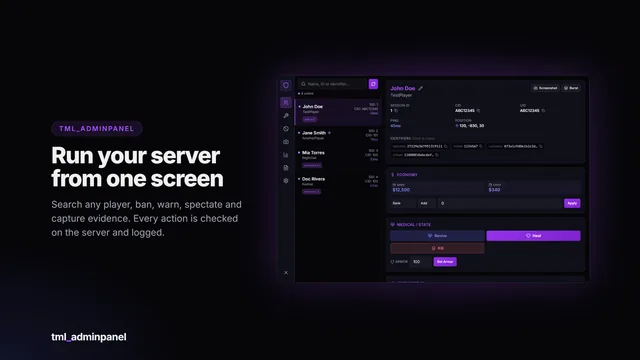
A searchable in-game administration panel with automatic framework detection, a framework-independent ban system and every action permission-gated and logged.

  • 38 permissions
  • Framework-free bans
  • Audit log
…
Details

TML Monitor

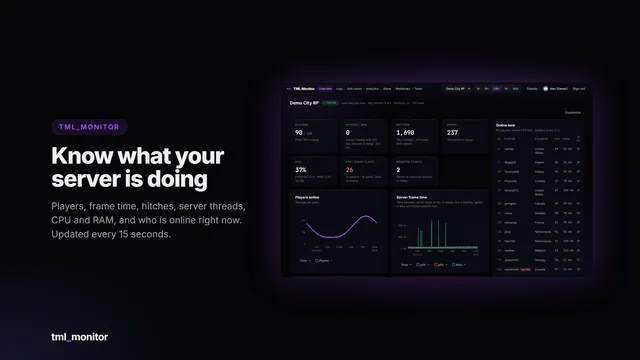
Live performance, every log and server-side anti-cheat signals for your FiveM server, in a web dashboard you and your staff open from any browser or phone.
  • Live dashboard
  • Server-side anti-cheat
  • 30 days of logs
…
Details

TML Pager

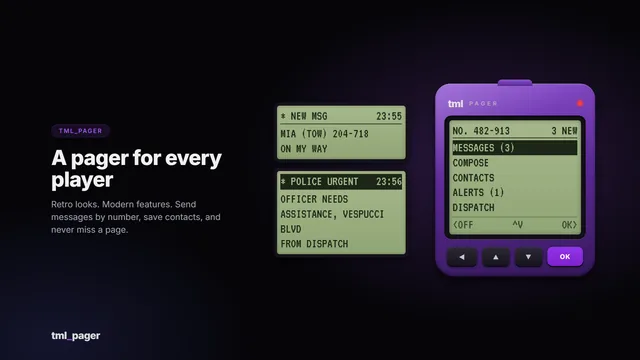
A retro pager with modern features. Every character gets a pager number, then sends short messages, saves contacts and receives department dispatch alerts.

  • 7 frameworks
  • Dispatch alerts
  • Item optional
…
Details

TML Phone

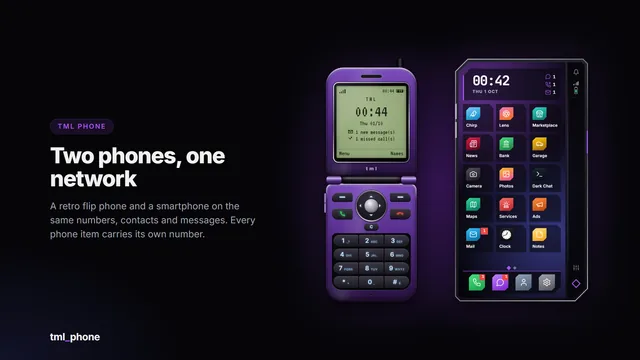
A retro flip phone and a modern smartphone on the same numbers, contacts and messages. Calls, video calls and 17 apps, and every phone item can carry its own number.

  • Flip + smartphone
  • 17 apps
  • Video calls
…
Details

TML Queue

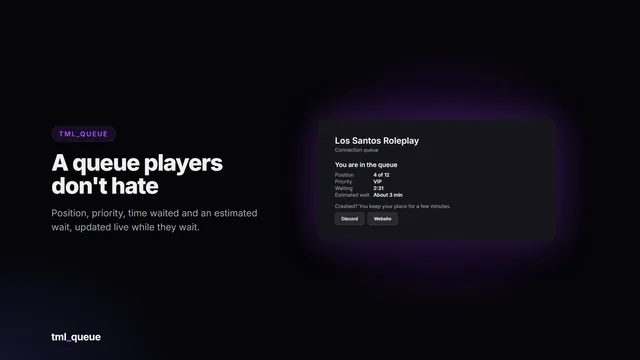
A connection queue players don’t hate. When your server is full, players wait on a live queue card with their position, priority, time waited and an estimated wait. Priority comes from Discord roles,…

…
Details

TML Radio

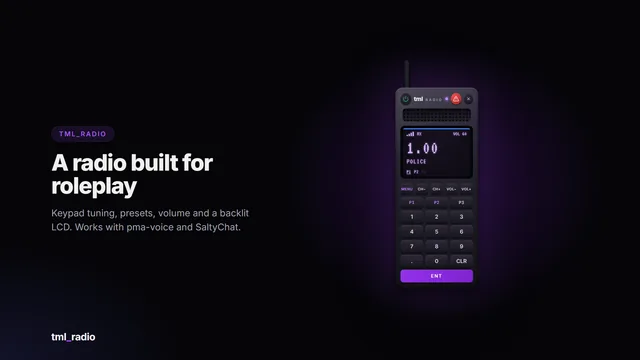
A handheld two-way radio that feels like the real thing: a backlit LCD, a keypad, channel and volume buttons, and a status LED that turns purple when someone’s talking and red when you are. Emergency…

…
Details
TML Billing…
Esc

↑↓ to move Enter to open

Keyboard shortcutsEsc
Ctrl K or /
Search pages, scripts and docs
G then H
Go to Home
G then S
Go to Store
G then P
Go to Previews
G then D
Go to Docs
G then I
Go to Install helper
G then F
Go to FAQ
C
Open the cart (store pages)
?
Show this list